
Every client site we run for you, under your own name
Snazzy Sites is where your team sees the websites we build, host and maintain for you. It lives at your own address, in your brand, and gets anyone on your team into WordPress in one click.
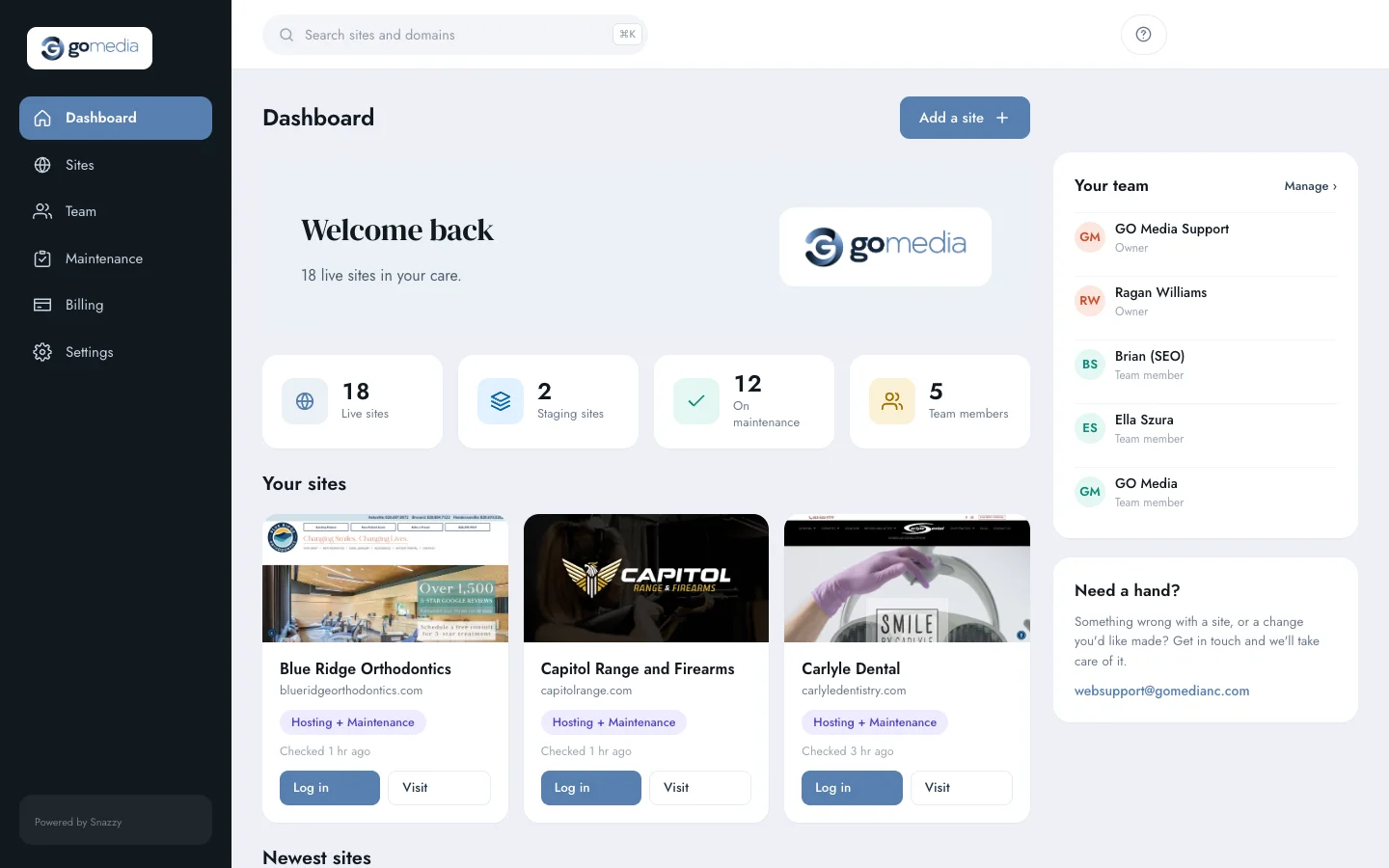
GO Media’s portal at sites.gomedianc.com. The portal screenshots on this page are from their real account.
The emails you can stop sending us
Most of what agencies used to ask us for by email or Slack now takes a click in your portal, any time of day.
What’s the WordPress login for this one?
Press Log in on any site and you’re in wp-admin, usually within a few seconds. Each login is a one-time link made for that person, so nobody passes passwords around in spreadsheets or Slack. If they don’t have an account on that site yet, one is created with the role you chose for them.
Which of our clients are on maintenance?
Every site shows its plan (Hosting, Maintenance or both) and when it last checked in with us. Filter by plan, by host, or by live and staging.
Can you give our new hire access?
Your owners add and remove their own people. Give someone every site, or only the few they work on, and pick the WordPress role they get on each.
We just signed a new client.
Add the site yourself. It goes straight onto your board under your agency, and if it’s WordPress we connect it so your team can log in from the portal.
Your brand, at your address
Your team signs in at an address like sites.youragency.com, with your logo, your colors and your support email. The sign-in emails go out under your name too. The only mention of us is a small “Powered by Snazzy” at the bottom.
- One DNS record on your side and the address is live, with SSL
- Sign in with an email link, no password to remember
- The sign-in page shows your real sites, never sample ones
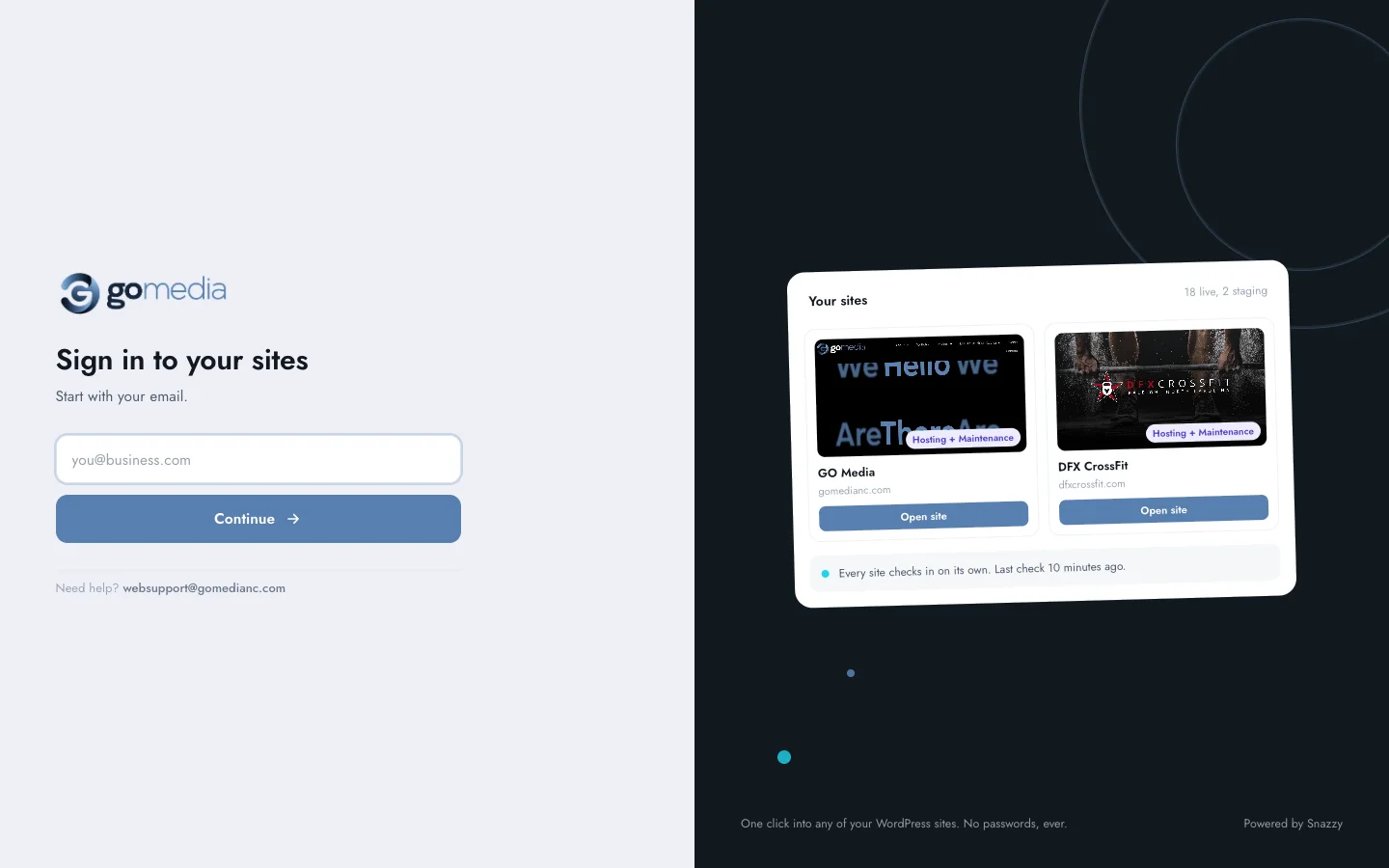
A short tour of GO Media’s account
Four screens your team will use most. Nothing here is a mockup.
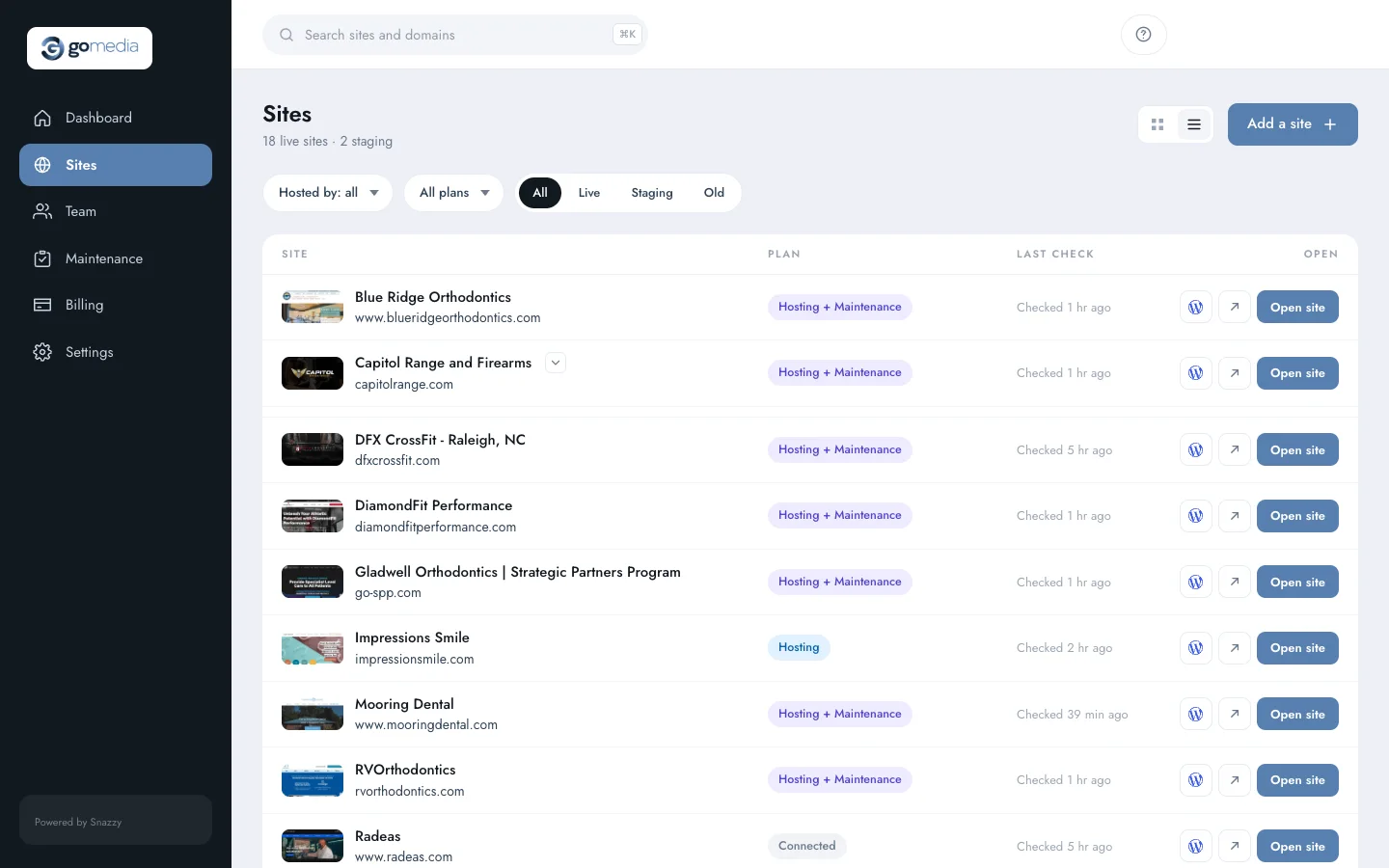
All your sites on one list
Plan, last check-in and a WordPress button on every row. Staging copies sit under their live site.
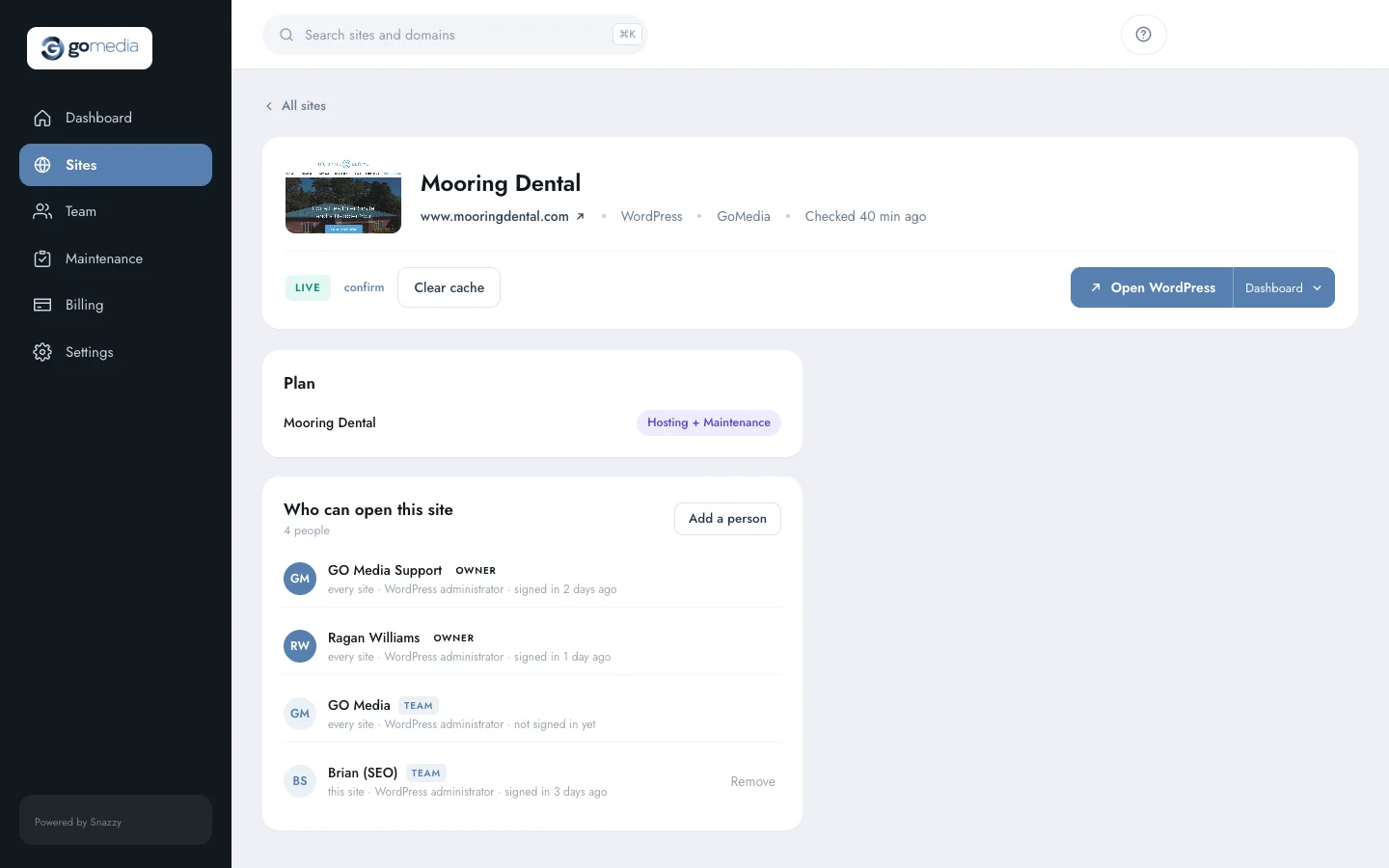
Who can open each site
Each site’s page lists everyone who can get into it, with their WordPress role. Add or remove a person right there.
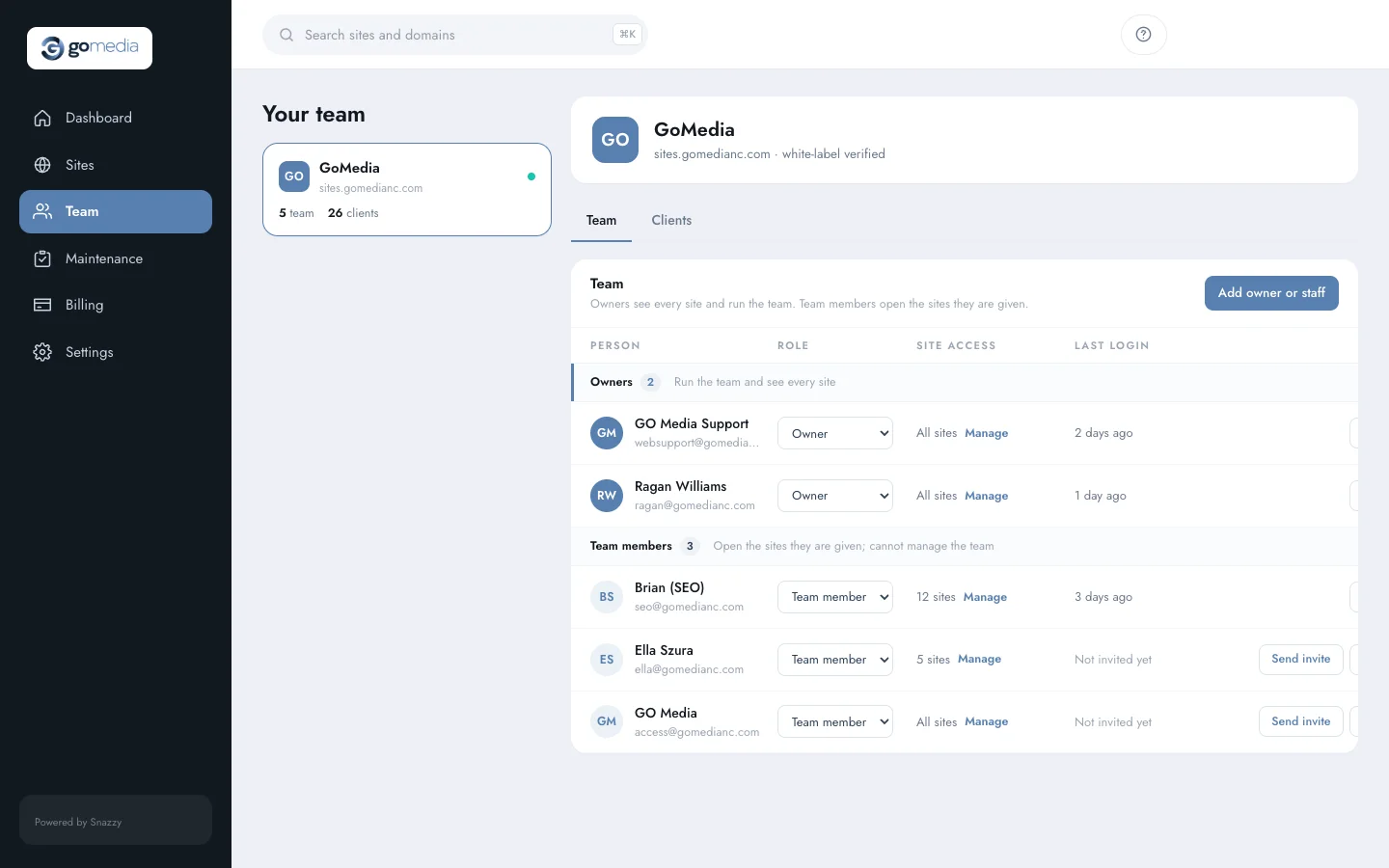
Your team, run by you
Owners see everything and manage the team. Team members see the sites they’re given. Invites go out in your brand.
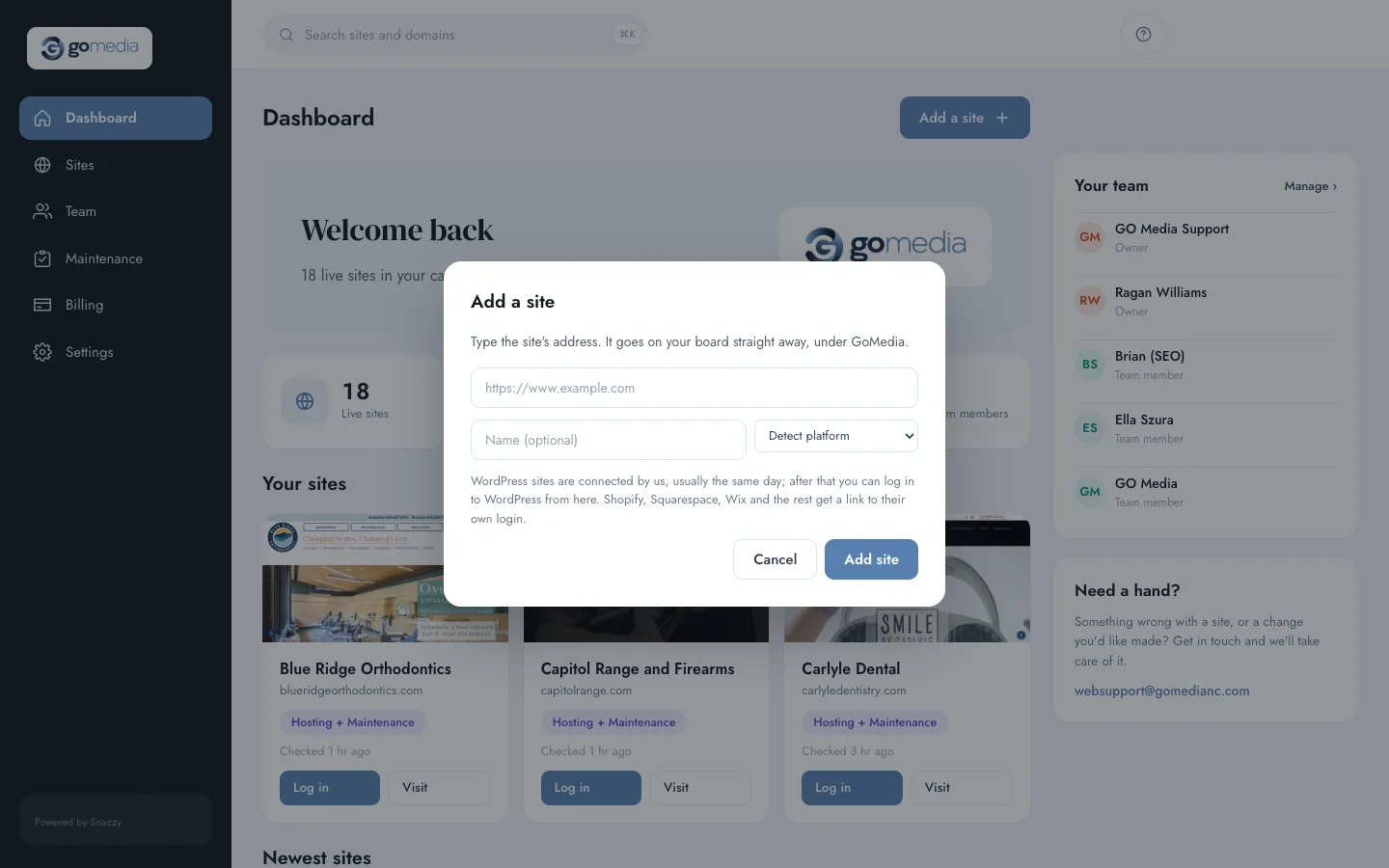
Add a site in seconds
Type the address and we work out the platform. Shopify, Squarespace and Wix sites get a link to their own login.
Your board stays calm because we’re watching it
Every WordPress site on the platform reports to us on its own. When something needs fixing, the alert comes to our team first, and we take care of it.
Health and uptime
We track each site’s check-ins, plugin updates, forms and email delivery, and we hear when a site stops answering.
Backups and servers
On the servers we run, we check each site’s backups several times a day and watch the servers themselves every few minutes.
Monthly checkups
Our reviewers go through every site on a maintenance plan each month and log anything that looks off, so it gets fixed.
One-click login, right in Chrome
Our Snazzy Login extension for Google Chrome puts a Log in to WordPress button on the client sites your team manages, and a “Log in with Snazzy” button on the WordPress login page. One click and you’re in, back on the page you were looking at, without opening the portal.
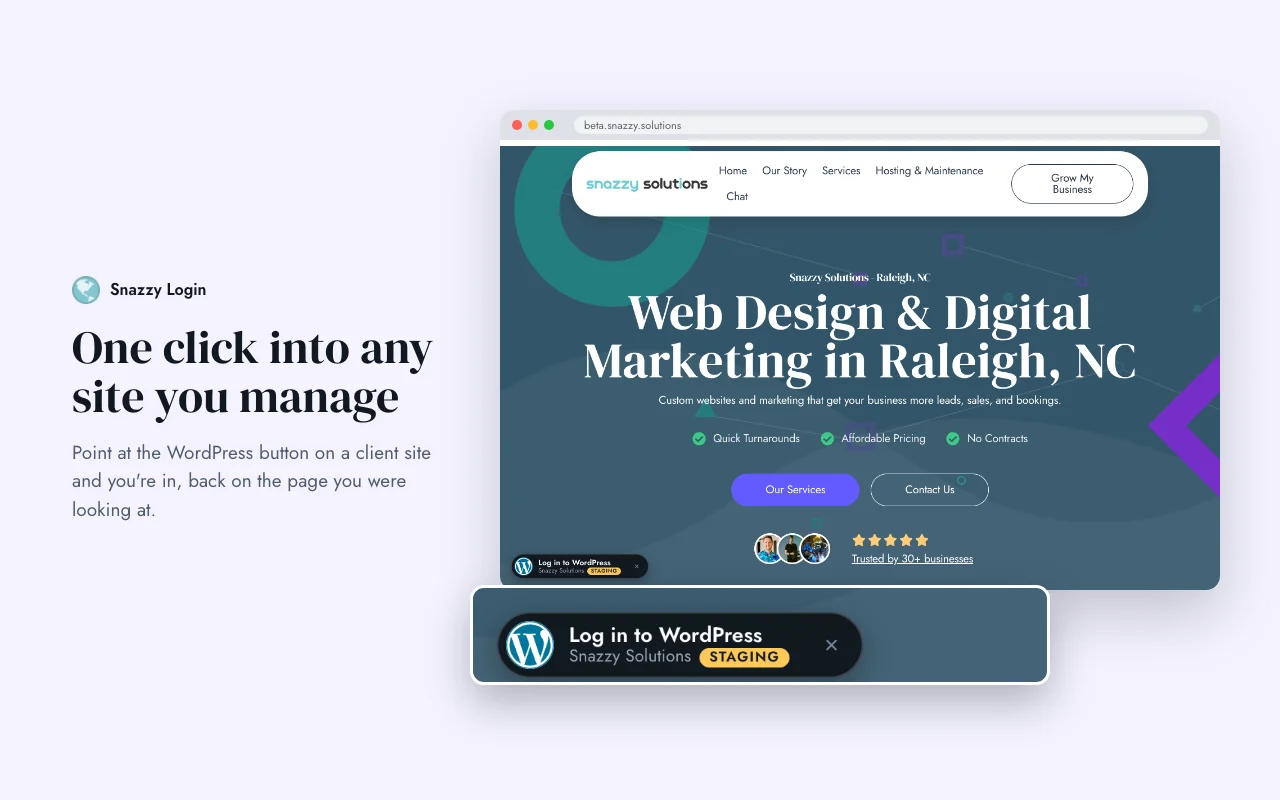
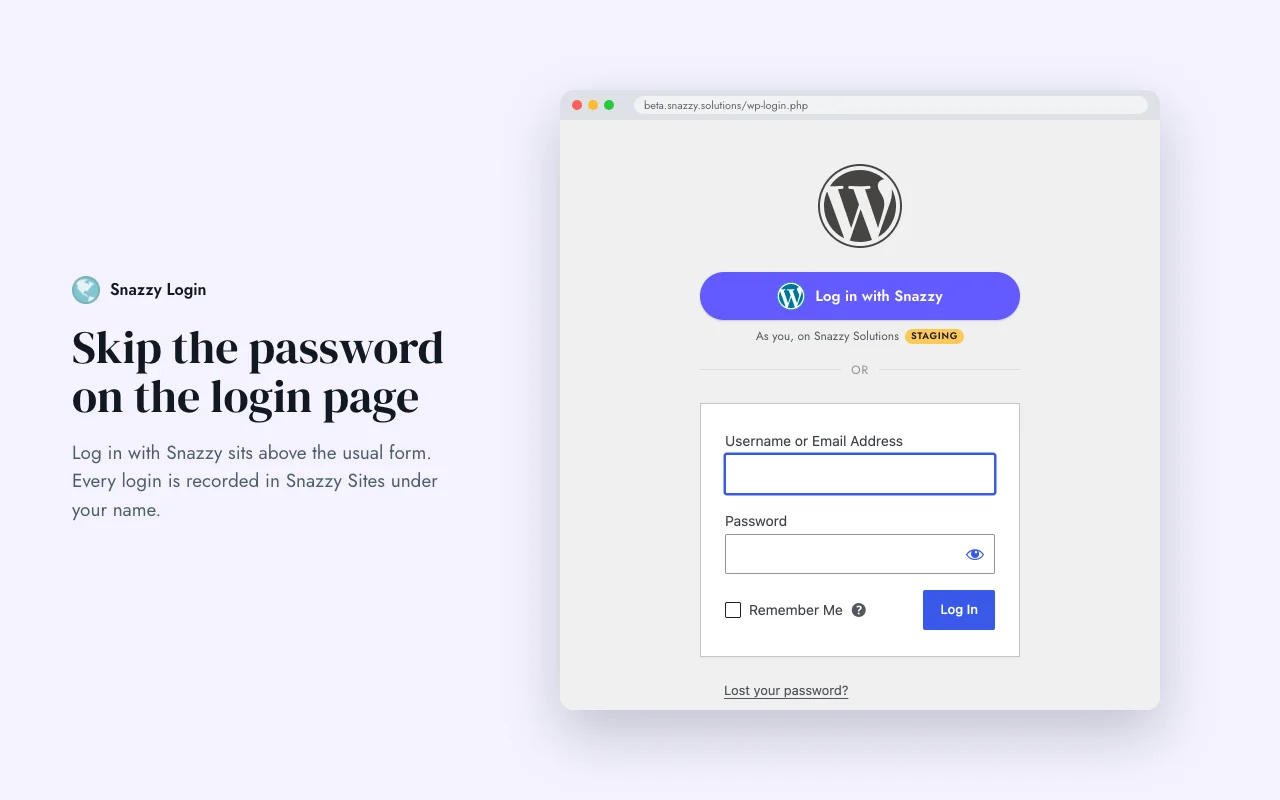
It’s in beta right now. Ask us and we’ll set it up for your team.
Three steps, most of them ours
You don’t have to move anything. Your sites are already here.
Tell us who
Send the names and emails of the people who should have access, and which of them run the team.
Point your address
Add one DNS record, sites.youragency.com CNAME connect.snazzy.solutions, and send us your logo. We handle the rest, SSL included.
Sign in
Your team gets an invite in your brand and signs in with their email. From then on, the sites are theirs to open.
Good to know
Do we have to remember another password?
No. You sign in with a link sent to your email. You can set a password later if you’d rather.
Do you store our WordPress passwords?
No. Each login is a one-time link the site creates for that person when they press Log in, and every login is recorded under their name.
Can our clients log in too?
The portal is built for your team. Your clients don’t need an account, and they never see it.
What if we don’t have our own domain set up yet?
We can give you an address on ours while you get to it, then move you over.
Is anything changing on the sites themselves?
No. The sites stay where they are. The portal is a window onto them, plus the one-click login.
Want this for your agency?
Send us a note and we’ll set up your portal and your team.